Compliance
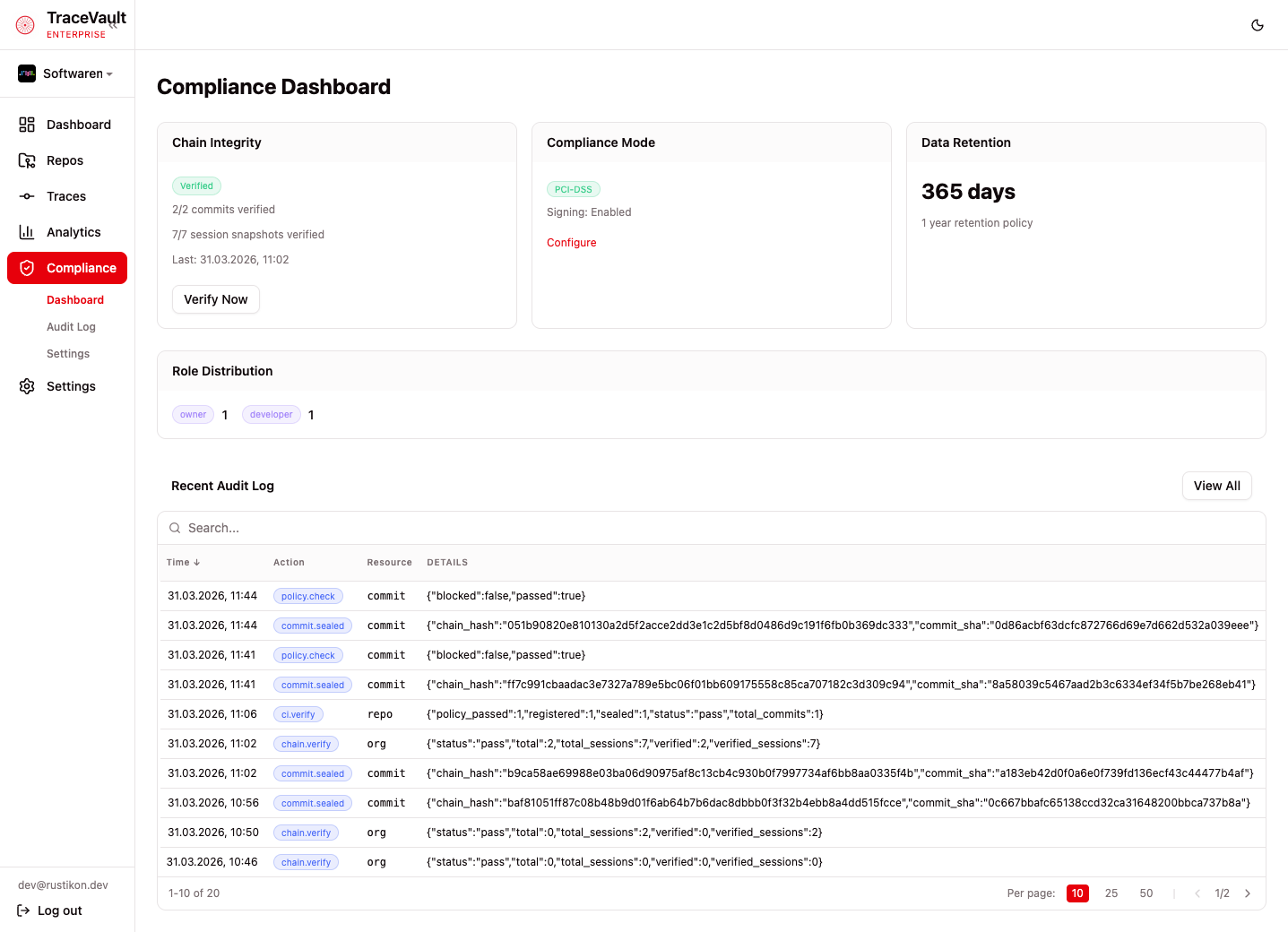
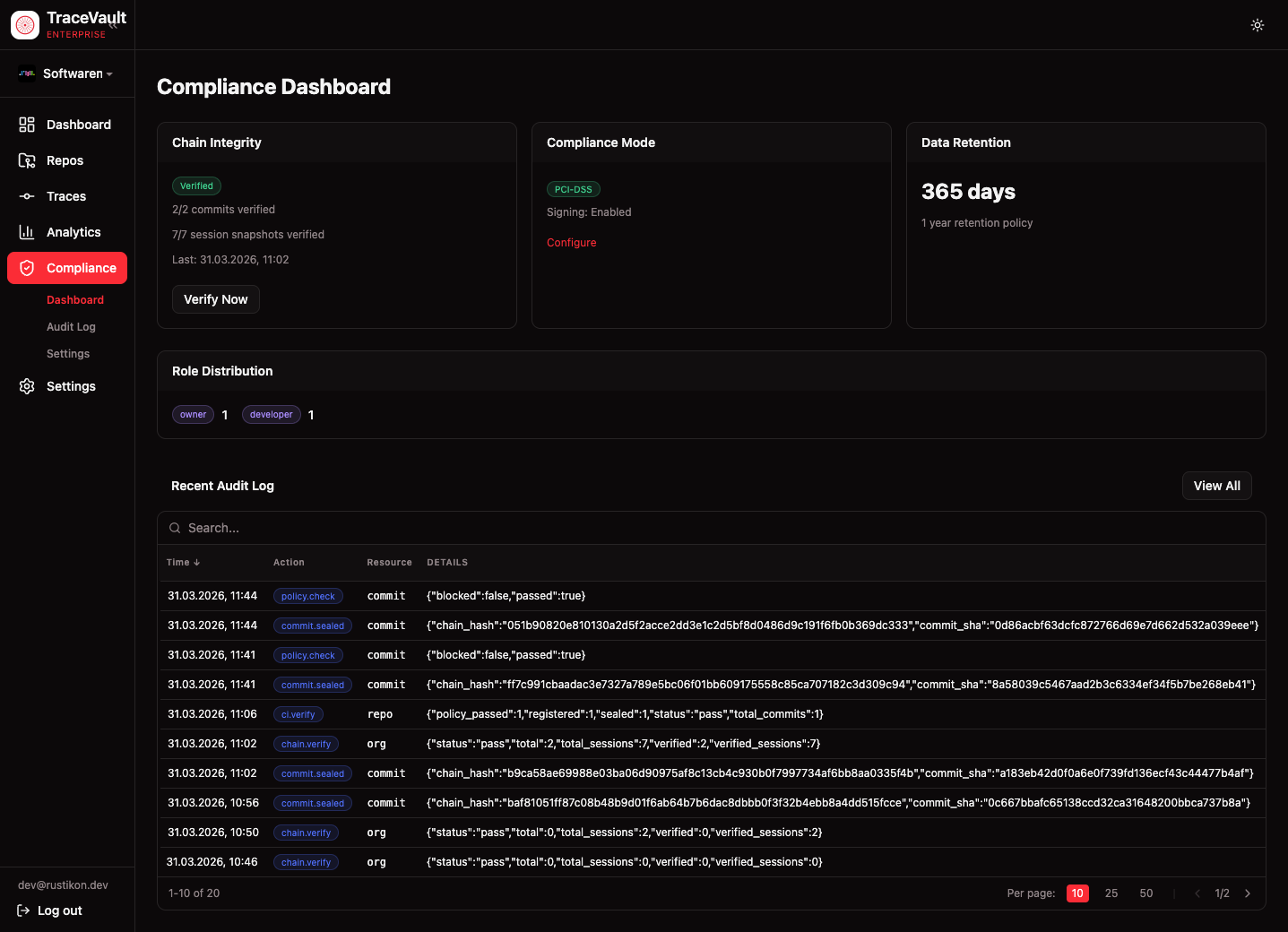
TraceVault provides tamper-proof audit trails for AI-assisted development. Every code change is cryptographically sealed and traceable to the AI session that produced it — giving regulated organizations the evidence they need for SOX, PCI-DSS, and SR 11-7.
Why It Matters
When developers use AI coding assistants, the question every compliance officer asks is: who wrote this code — the human or the AI? And can you prove it?
TraceVault answers both. It captures the full development session, links it to git commits with line-level attribution, then seals everything with cryptographic signatures and hash chains — making the record tamper-proof and independently verifiable.
How It Works
Continuous Capture
TraceVault hooks into the developer's workflow at two points: session streaming captures AI interactions in real time, and commit capture sends commit metadata via post-commit hooks. The system automatically matches commit lines to AI sessions to compute attribution.
Cryptographic Sealing
Each commit is sealed with a SHA-256 hash, signed with Ed25519, and linked to the previous seal via a hash chain. This makes it impossible to insert, remove, or reorder records without detection.
Verification
Three mechanisms: dashboard verification (one-click chain integrity check), CI/CD verification (API endpoint for build pipelines), and independent verification (public key available for external auditors).
Compliance Modes
| Mode | Retention | Use Case |
|---|---|---|
| SOX | 7 years | Public companies, financial reporting |
| PCI-DSS | 1 year | Payment processing |
| SR 11-7 | 3 years | Banking, model risk management |
| Custom | Configurable | Organization-specific requirements |
Pages
Compliance Dashboard (/compliance)
Real-time status overview with four cards:
- Chain Integrity — Verification status with commit/session counts and a "Verify Now" button
- Compliance Mode — Active mode and signing status with a link to settings
- Data Retention — Configured retention period
- Role Distribution — Member counts per role
A Recent Audit Log preview shows the latest entries with a link to the full log.
Audit Log (/compliance/audit-log)
Comprehensive, filterable audit trail. Every compliance-relevant action is recorded: organization management, user/role changes, compliance configuration, policy operations, and pricing changes. Filter by action type and resource type, with pagination and expandable row details showing full entry data.
Compliance Settings (/compliance/settings)
Configuration for compliance mode, retention period (with mode-enforced minimums), trace signing toggle, and chain verification interval. A separate card provides the organization's Ed25519 public key for external auditors.
Audit Log Events
| Category | Events |
|---|---|
| Organization | org.create, llm_settings.update |
| Users & Roles | user.register, role.change, member.remove, invite.create/revoke/accept, invitation_request.approve/reject |
| Compliance | org.compliance.update, chain.verify, ci.verify, commit.sealed |
| Policies | policy.create, policy.update, policy.delete, policy.check |
| Pricing | create, update, pricing_sync |