Policies
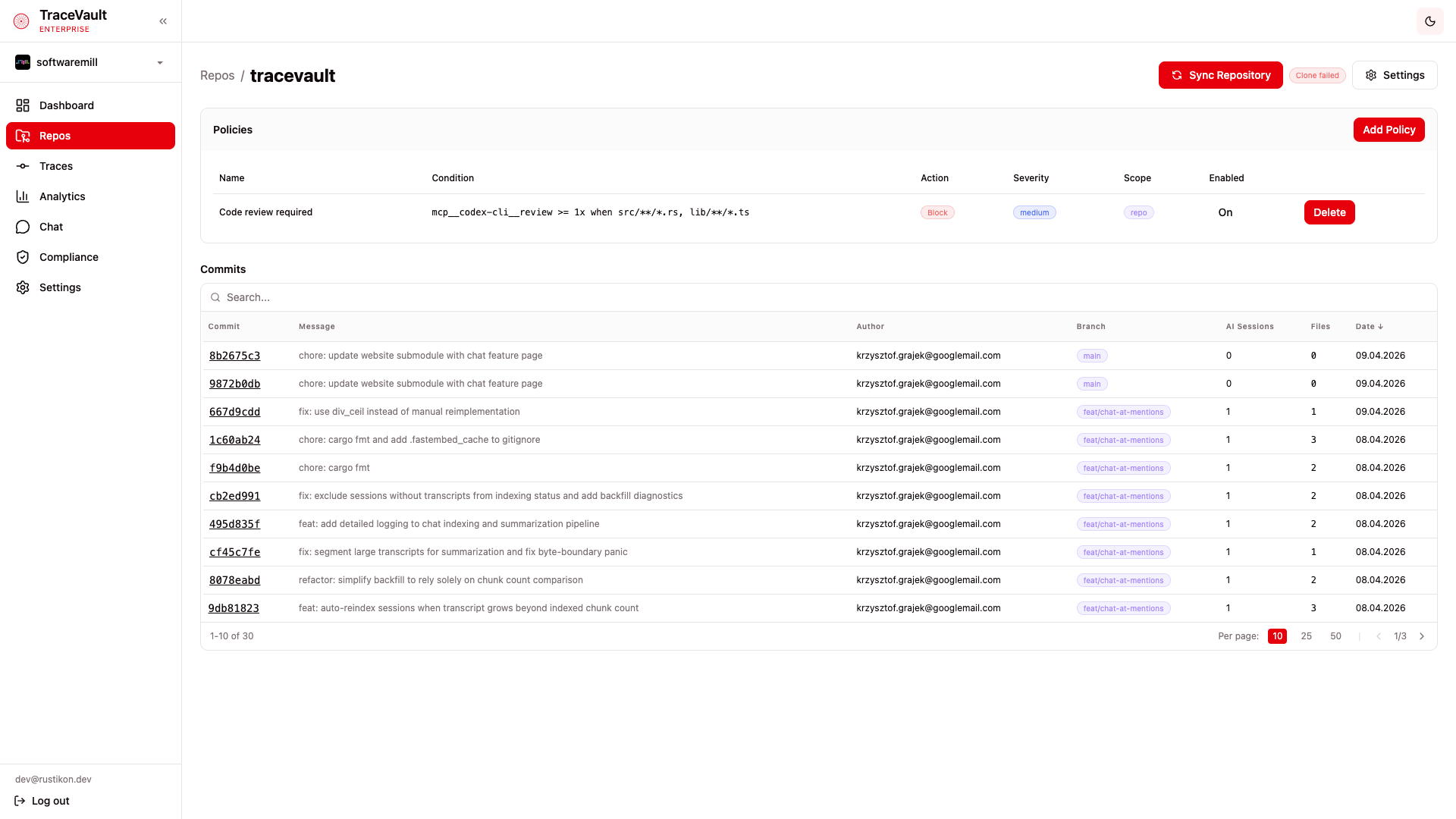
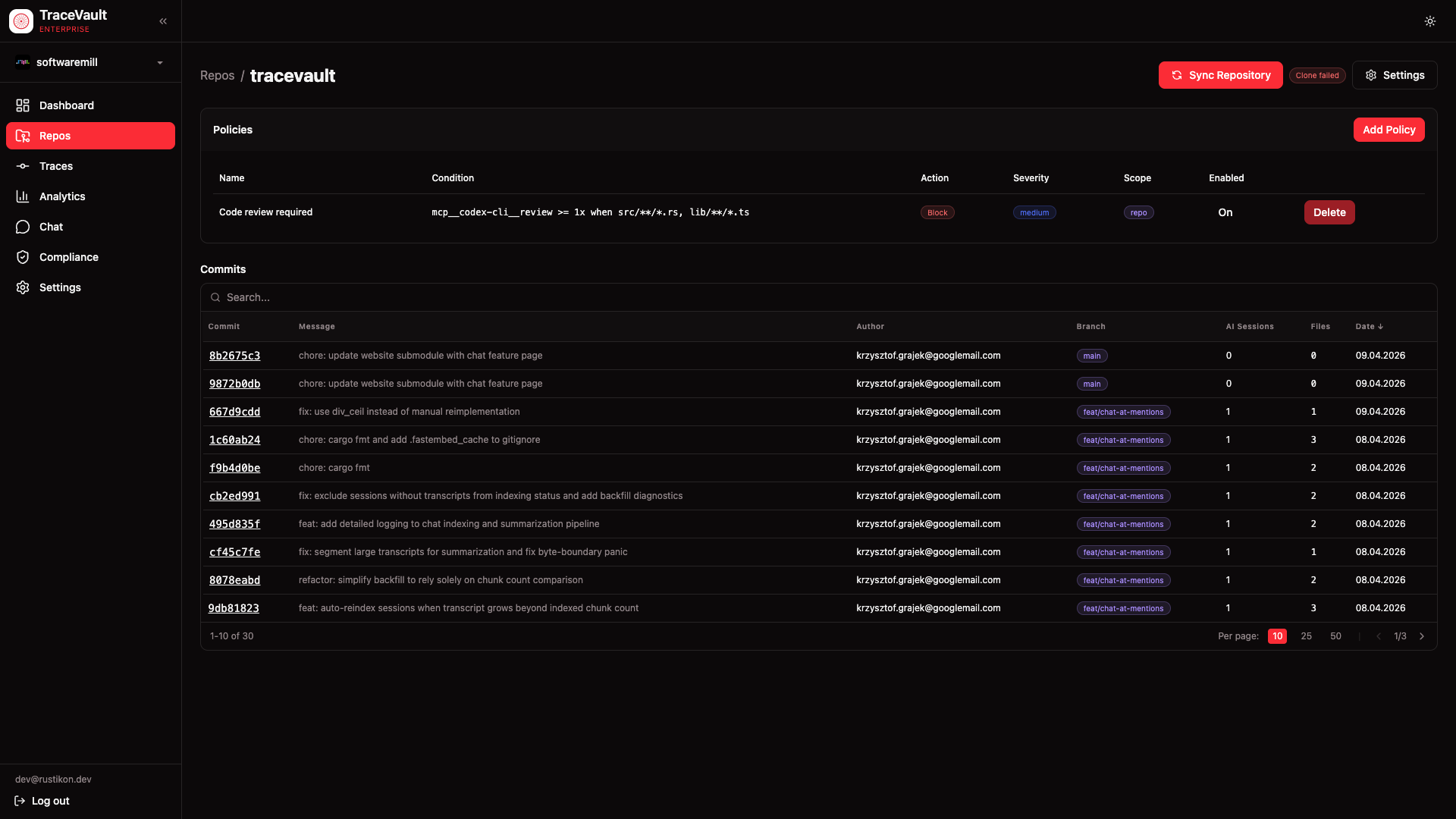
Policies define rules that TraceVault enforces on every commit pushed through its pipeline. They let you require specific tool calls during AI coding sessions — for example, mandating that a code review tool was invoked before code can be pushed, or that tests were run when source files changed.
Policies are managed per-repository through the UI. Navigate to Repos, select a repository, and you'll find the Policies section at the top of the repository detail page.
Creating a Policy
Click Add Policy on the repository detail page to open the creation dialog:
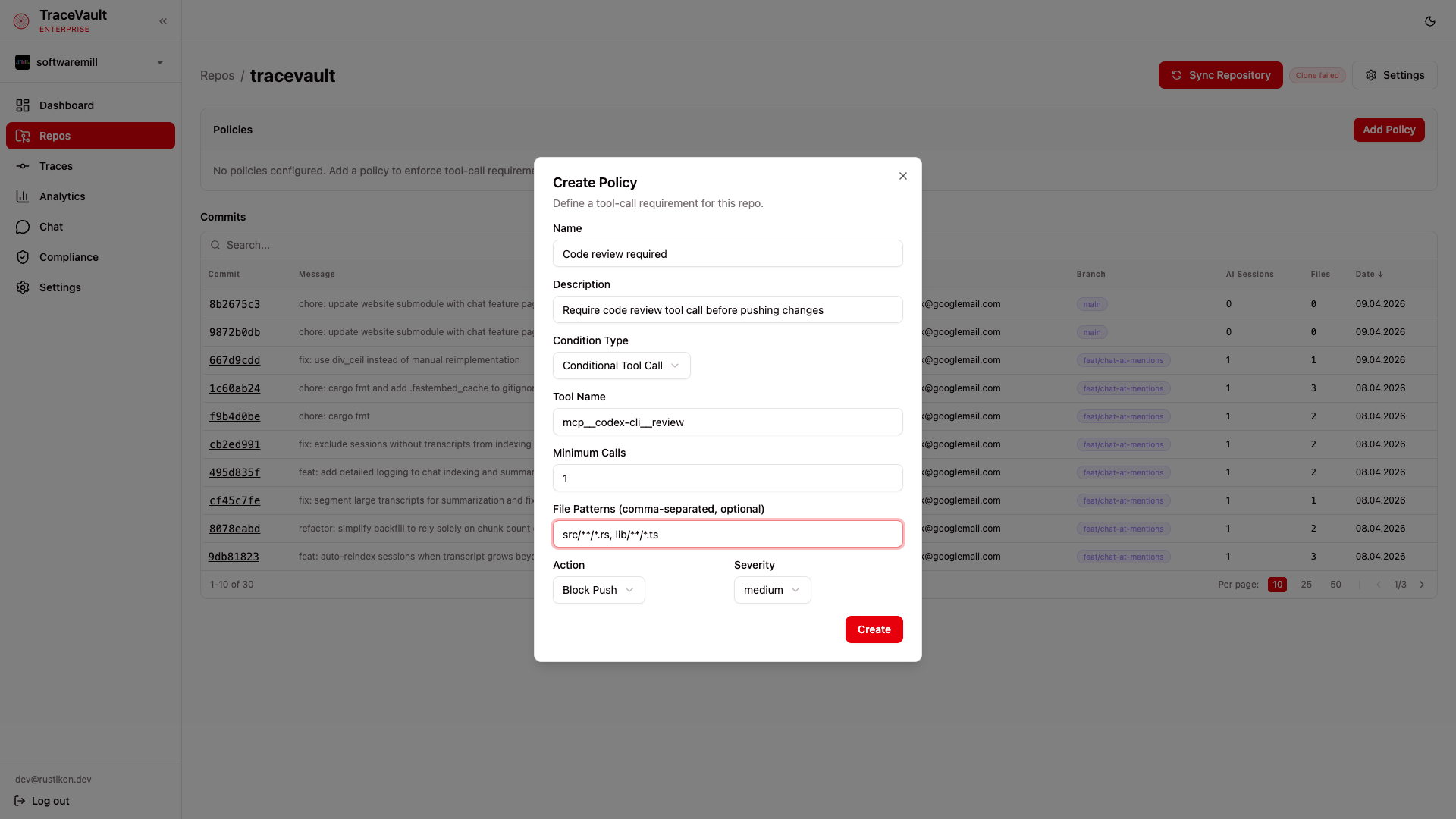
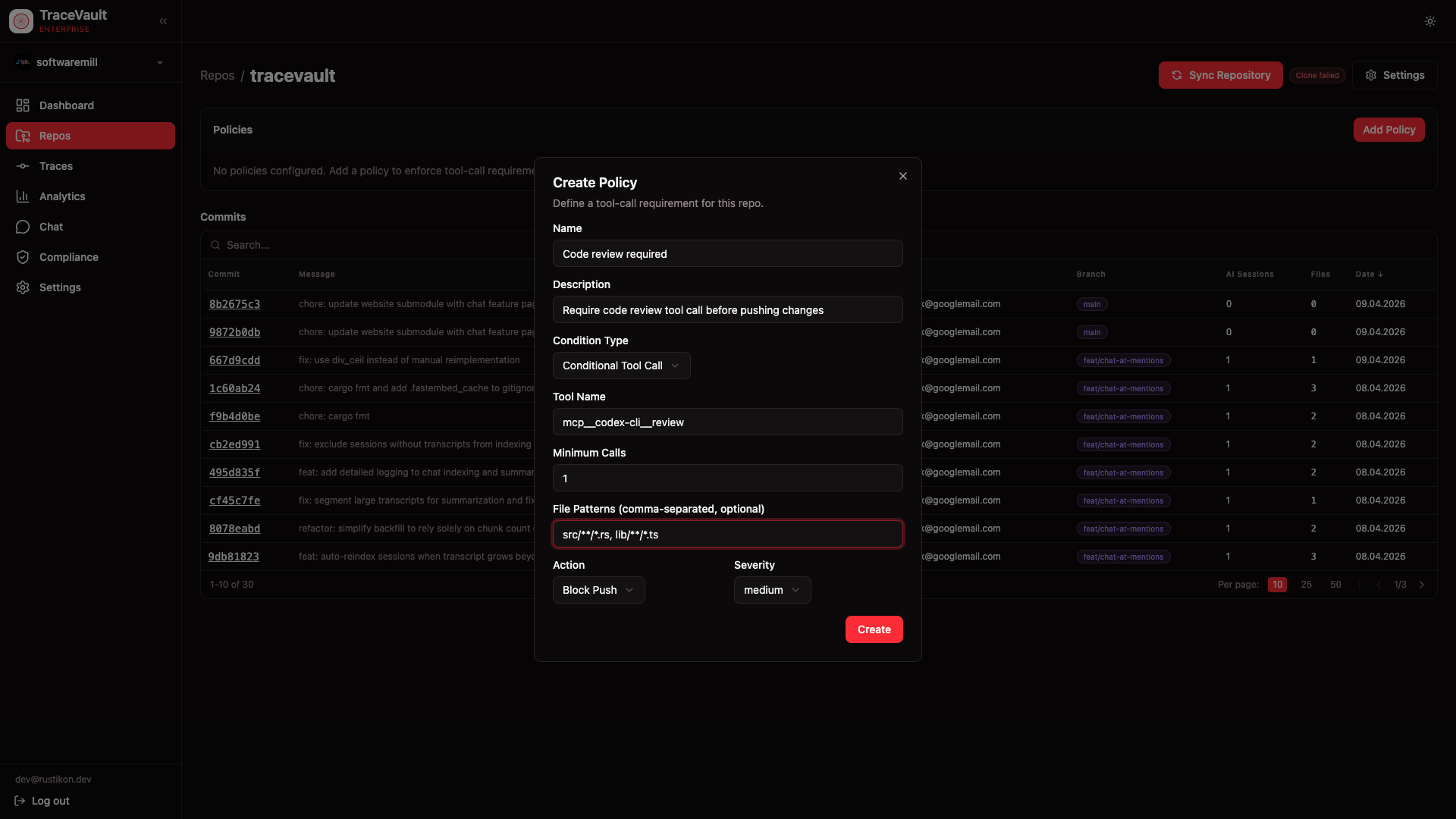
Each policy requires:
- Name — A descriptive name, e.g. "Code review required"
- Description — Optional explanation of the policy's purpose
- Condition Type — Choose between two types (see below)
- Action — What happens when the policy is violated: Block Push (reject the commit) or Warn (allow but flag)
- Severity — Priority level: critical, high, medium, or low
Condition Types
Conditional Tool Call
Requires a specific tool to be called a minimum number of times during the session, optionally only when certain files are changed.
| Field | Description |
|---|---|
| Tool Name | The exact tool identifier, e.g. mcp__codex-cli__review |
| Minimum Calls | How many times the tool must be called (default: 1) |
| File Patterns | Comma-separated glob patterns — the policy only applies when changed files match these patterns. Leave empty to apply to all commits. |
Example: require mcp__codex-cli__review at least once when files matching src/**/*.rs are changed.
Required Tool Call
Requires that one or more specific tools were called during the session, regardless of file patterns.
| Field | Description |
|---|---|
| Tool Names | Comma-separated list of tool identifiers that must have been called, e.g. mcp__codex-cli__review, Bash |
Policy Table
Once created, policies appear in a table on the repository detail page showing:
| Column | Description |
|---|---|
| Name | The policy name |
| Condition | A summary of the rule, e.g. mcp__codex-cli__review >= 1x when src/**/*.rs |
| Action | Block (red badge) or Warn (yellow badge) |
| Severity | The priority level (blue badge) |
| Scope | Whether the policy is scoped to the repo or org (purple badge) |
| Enabled | Toggle a policy on or off without deleting it |
You can delete repo-scoped policies directly from the table. Organization-scoped policies are managed separately and cannot be deleted from the repo view.
How Enforcement Works
When a commit is pushed through TraceVault, the system checks all enabled policies for the repository:
- The commit's linked AI session is examined for tool call records
- Each policy's condition is evaluated against the session data
- If a condition is not met, the configured action is applied — either blocking the push or logging a warning
- Policy check results appear in the Compliance > Audit Log as
policy.checkevents
This ensures that team-defined quality gates are enforced automatically, without relying on developers to remember to run specific tools.